How is business?
Review sales, average check and channel mix. Compare changes over the period you select.
Review sales, labor and other restaurant metrics from your phone. Compare trends and discuss the results with your managers.
Sales. Labor. Food costs. Guest feedback. Every built metric on your Savnt platform is available in the app—even when it isn’t included in your morning report.
Your own restaurant data. On Savnt. Free, before you pay a dime.
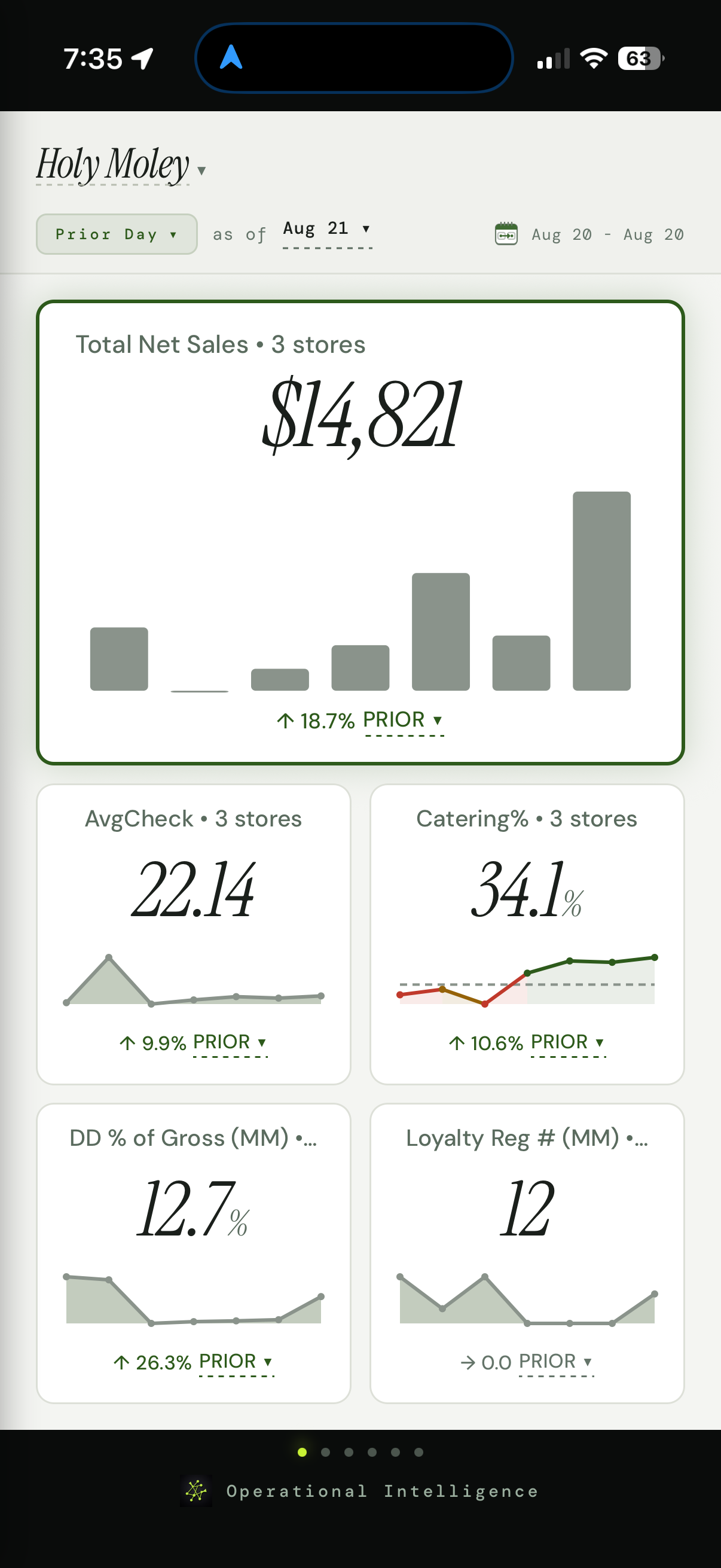
Just open the app. Every metric built on your Savnt platform is available to explore. It doesn’t have to be included in a report first.
Open the app to review a metric in more detail. Choose the metric and reporting period, then review the results from your phone.
Explore custom restaurant metrics →Get an overview of the operation before you walk into a restaurant. Review the measures that matter, see how they’ve changed and choose where to spend your attention.
Review sales, average check and channel mix. Compare changes over the period you select.
Review labor and food-cost trends where those metrics are available in your connected data. Discuss those results with your managers.
Keep connected satisfaction measures and operating checks in view alongside restaurant performance.
Open a landscape trend view with your manager. Review how sales, labor and food costs are moving over the period you’re discussing. Put the performance in front of both of you.
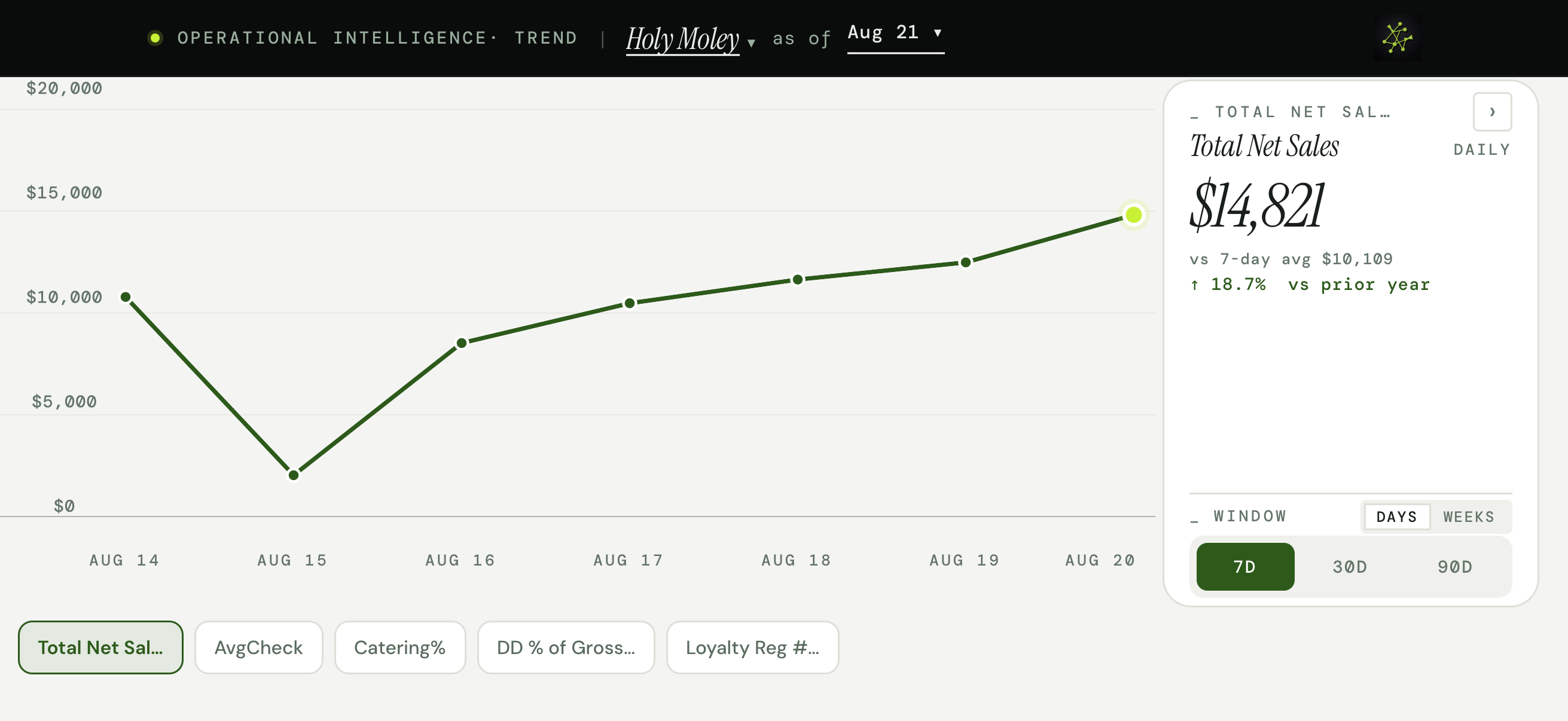
Compare results over time to see how performance has changed. Choose a metric and time window, review it with your manager and agree on what needs attention.
Use the same view to coach a new manager, prepare for a restaurant visit or follow up on the last review. Less time establishing what the numbers are. More time deciding what to do about them.
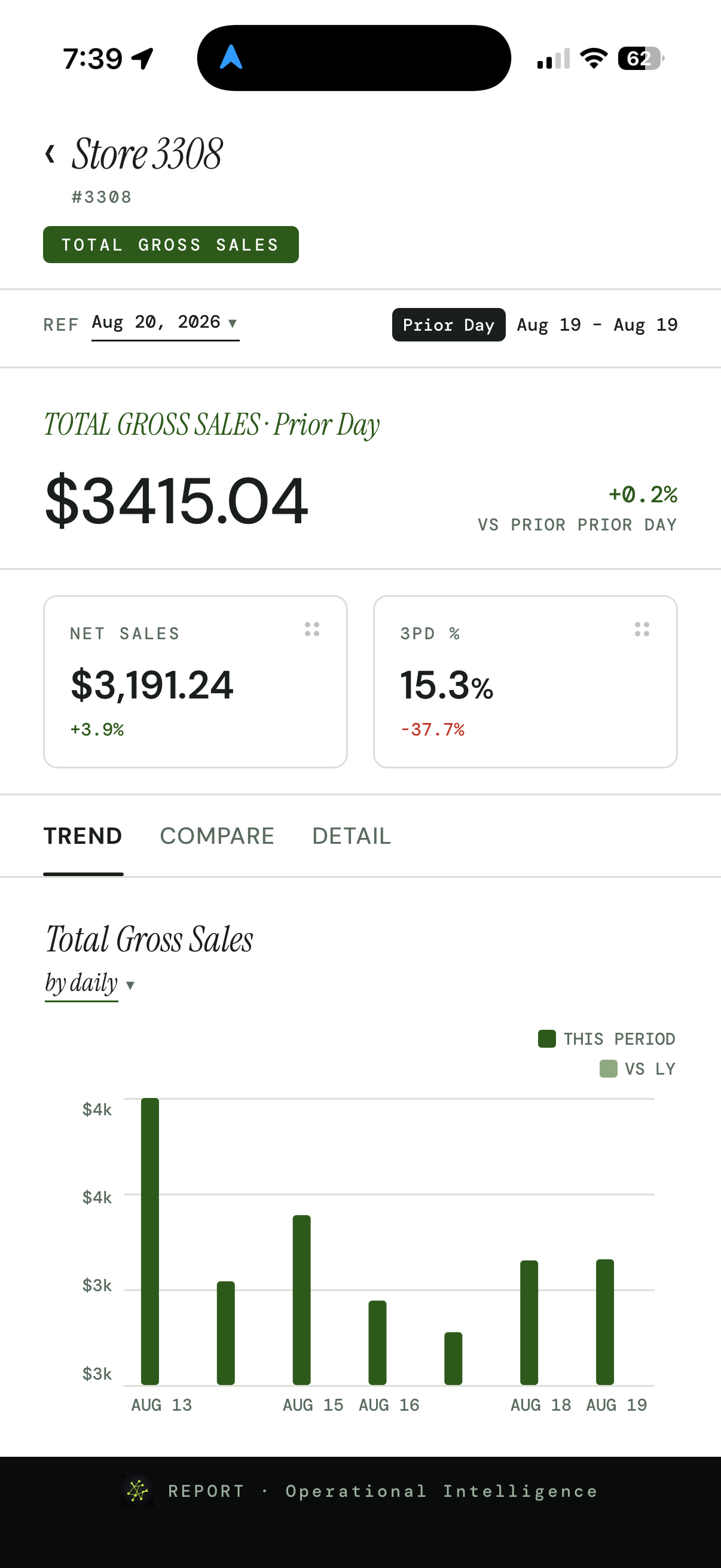
Compare restaurant results, then open a location to review its metrics and trends. Keep the reporting period in view so the conversation stays grounded in the same numbers.
From the wider operating picture to a specific restaurant’s performance, the review can happen wherever you and your manager are.
Yes. Savnt has iOS and Android mobile apps for reviewing your connected restaurant operating data.
Yes. Use the overview, landscape trend views and restaurant-level detail to review performance with a manager. Sales, labor, food costs and other measures depend on the data and metrics available in your account.
Yes. Ask Jessica is available in the mobile app as an emerging way to explore connected operating data. See Jessica’s sales-and-labor example.
No. The app gives you access to every metric built on your Savnt platform, whether or not it appears in a report. If the morning email doesn’t include the metric you want to see, open the app and explore it there.
Email delivers your scheduled reporting. The app gives you access to all your built metrics, including those outside your reports, and lets you change the review period and look into individual restaurants. Explore automated restaurant reporting.
We’ll connect your systems and put your own data on Savnt. See what a business review could look like before you pay a dime.